
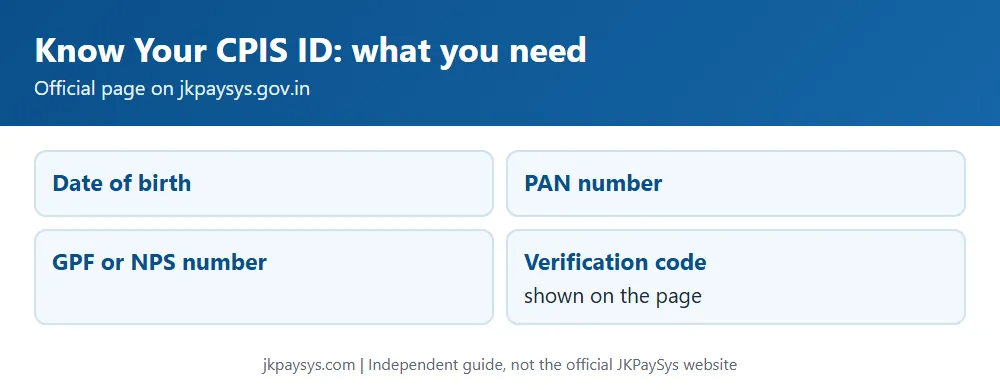
You can find your CPIS ID on the official JKPaySys site using your date of birth, PAN number and GPF or NPS number. The page is called Know Your CPIS ID and is linked from jkpaysys.gov.in.
How to find your CPIS ID
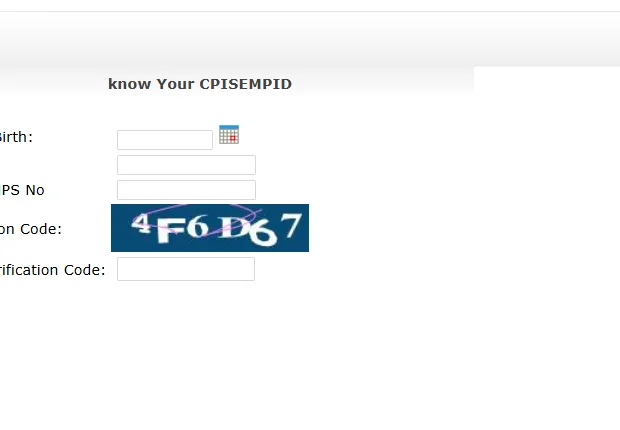
- Open jkpaysys.gov.in.
- Click Know Your CPIS ID on the home page.
- Enter your date of birth.
- Enter your PAN number.
- Enter your GPF number or NPS number.
- Type the verification code and click Show.
Why the CPIS ID matters
DDOs bring employees into JKPaySys from CPIS. A DDO can fetch one employee by CPIS ID, or port all employees with Fetch CPIS Bulk Data. The DDO code must be the same in CPIS and JKPaySys, and Form 1 and Form 2 (A and B) must be filled and verified first, or the DDO gets an error while setting employee data.
If your details don’t match
Your CPIS data is maintained on jkcpis.nic.in by your DDO. Ask your DDO to check it. For portal problems, contact the JKPaySys helpdesk on 0191-2520582, 2571800 and 2571900, Monday to Saturday, 9:30 am to 5:30 pm.
Frequently asked questions
What do I need to find my CPIS ID? Date of birth, PAN number, GPF or NPS number and the verification code shown on the page.
Is there a fee? The official page doesn’t mention any fee.
Can this website find my CPIS ID? No. Use the official page on jkpaysys.gov.in.
Next: salary slip and Mera Vetan guide and JKPaySys login guide.